Plug-and-play, until you open the repo.
Appfunnel is a plug-and-play funnel builder, and everything it builds is a real React project with a typed contract. When you want to go past the editor, open the same funnel with your own tools: TypeScript in your IDE, your coding agents over MCP, and the CLI to work locally and cut releases. No export step, no migration. It's the same code.
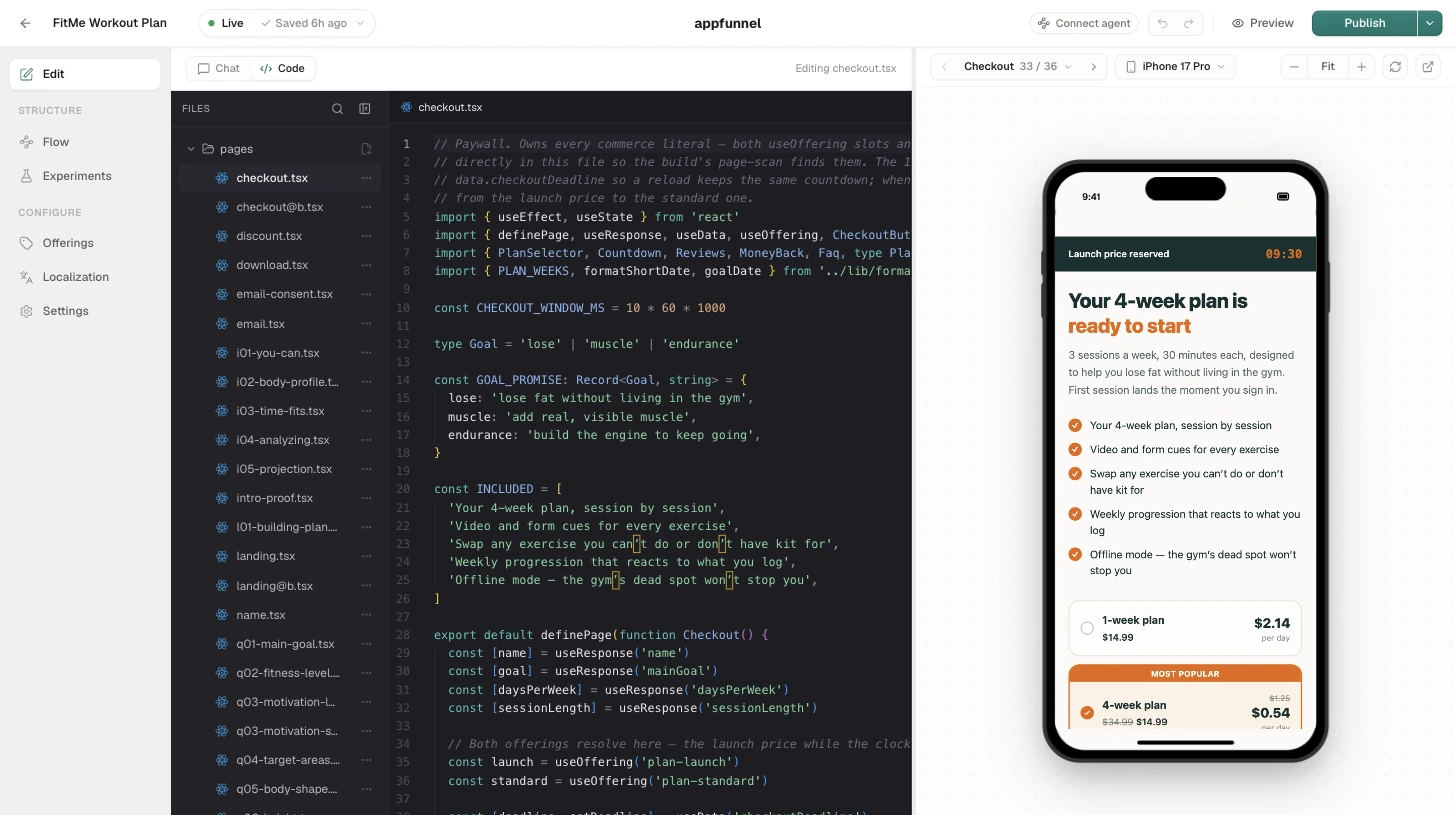
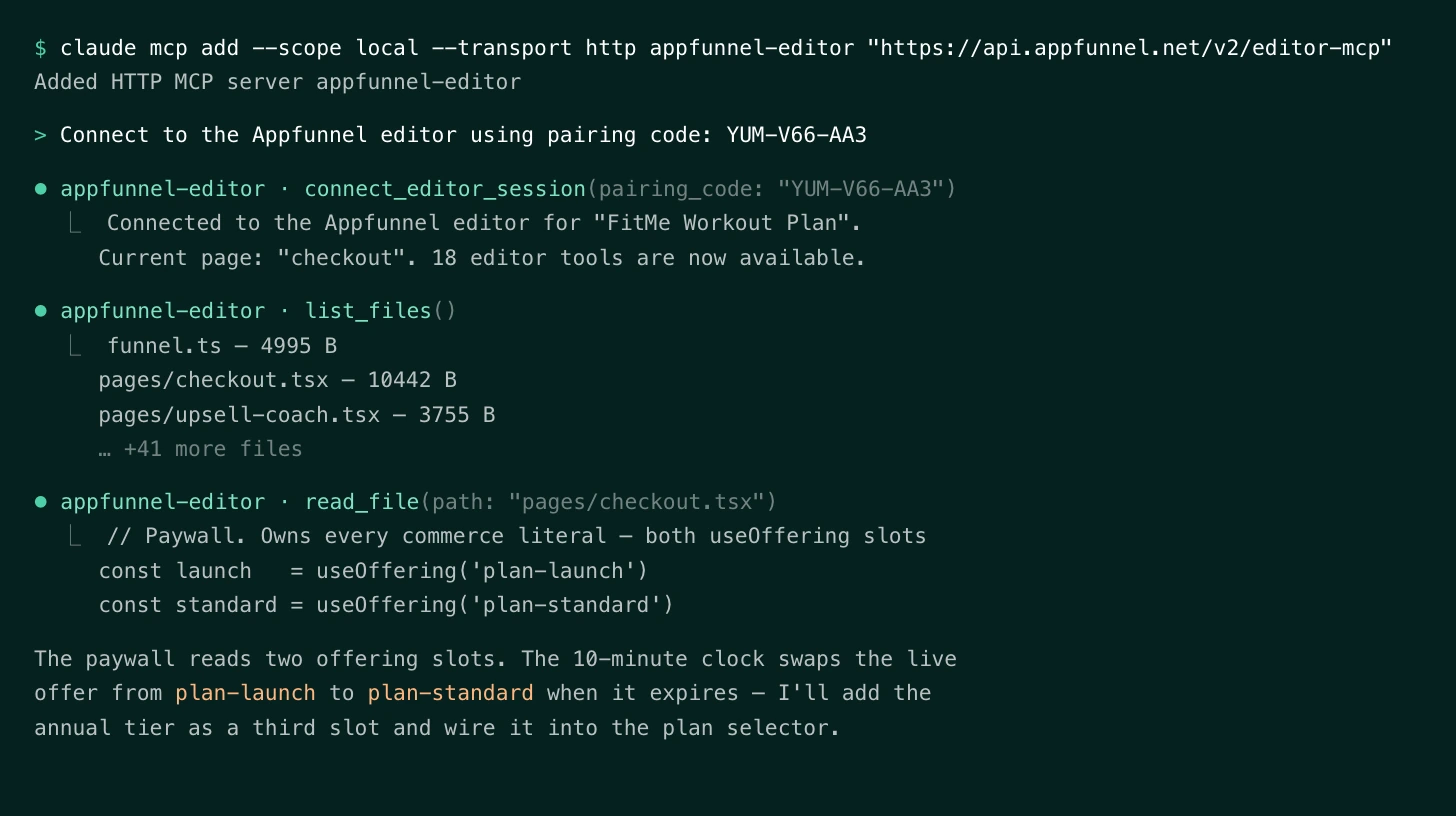
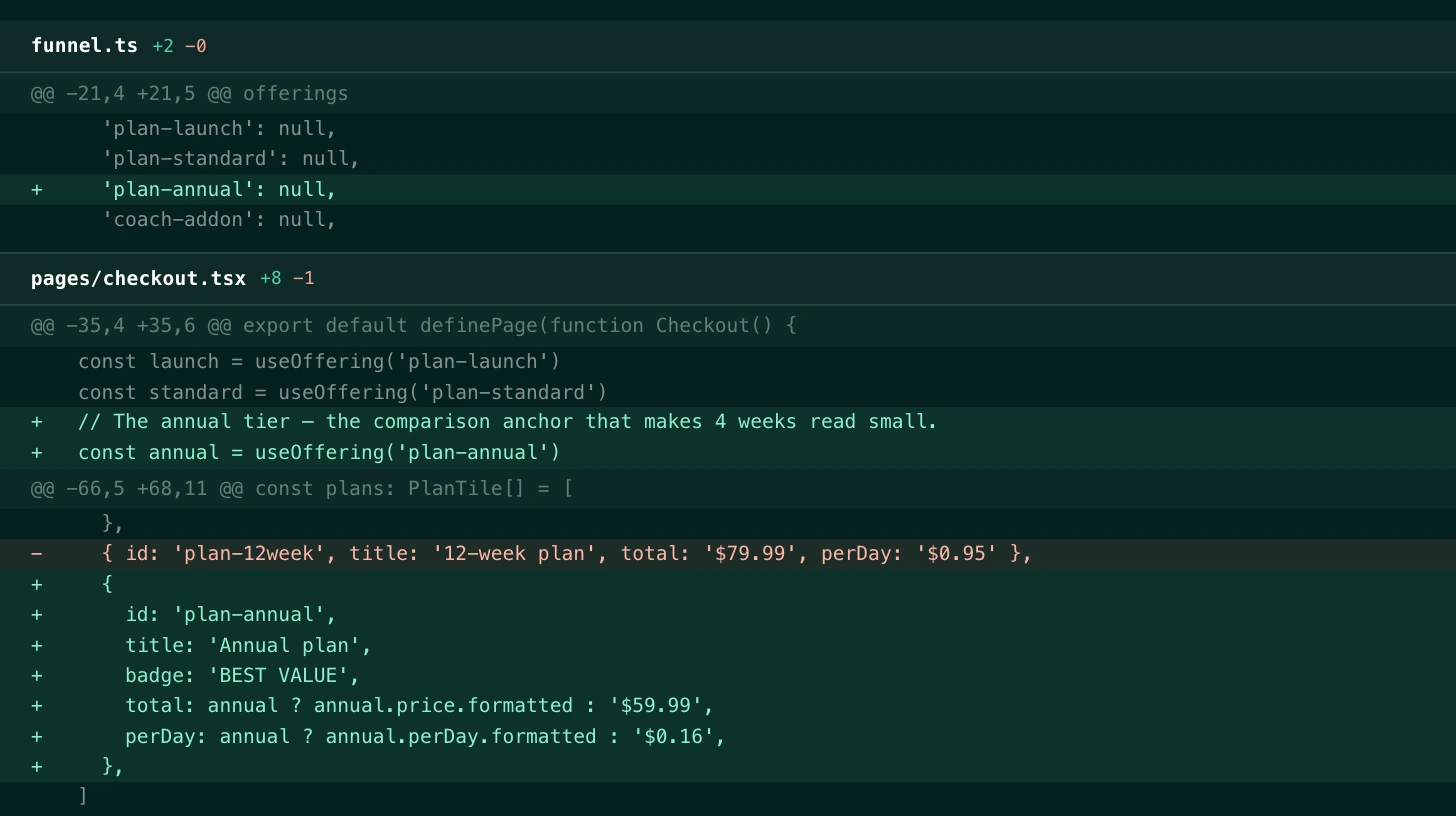
same funnel.ts, three doors in
The builder writes real code. This is it.
Every funnel, whether it was prompted, clicked, or typed into existence, is the same small TypeScript project. funnel.ts is the spine: pages and routing, the response variables you capture, the product slots you sell, and the checkout provider. Each page is a React component with typed hooks. Your IDE, your agents, and the web editor all work on these same files.
import { defineFunnel } from '@appfunnel-dev/sdk' export const config = defineFunnel({ id: 'funnel', checkout: 'stripe', // captured in the flow — read anywhere with useResponse responses: { email: { type: 'string', default: '' }, goal: { type: 'string', default: '' }, }, // products are SLOTS: a local name your pages reference, // mapped to the catalog product it sells products: { plan: 'premium-annual' }, // the flow — top-to-bottom, add `next` to branch pages: [ { key: 'welcome', type: 'default' }, { key: 'goal', type: 'default' }, { key: 'email', type: 'email-capture' }, { key: 'paywall', type: 'paywall' }, { key: 'finish', type: 'finish' }, ],})Products are slots
products: { plan: 'premium-annual' }Pages reference a local slot name; the catalog product behind it is swapped in the editor, so pricing changes never touch page code.
Responses are typed
useResponse('email')Declared once in funnel.ts, session-persisted automatically, autocompleted in your IDE and validated at release time.
Routing is declarative
next: [{ to: 'paywall', when: … }]Pages run top-to-bottom by default; branch on any response with a `next` rule instead of hand-rolled navigation state.
Pair your agents to a live editor session
Grab a one-time pairing code from the editor, and your local agent connects to the same session you have open in the browser: Claude Code, Cursor, Codex, or any MCP client. It reads the typed contract and can build a whole funnel from a prompt or edit a single page; every change renders in the live preview where you review and approve it.
- One-time pairing code, scoped to one editor session
- A rich tool surface: reads the preview by screenshot, switches devices and locales, walks the flow
- You stay in the loop: changes land in the draft, not live
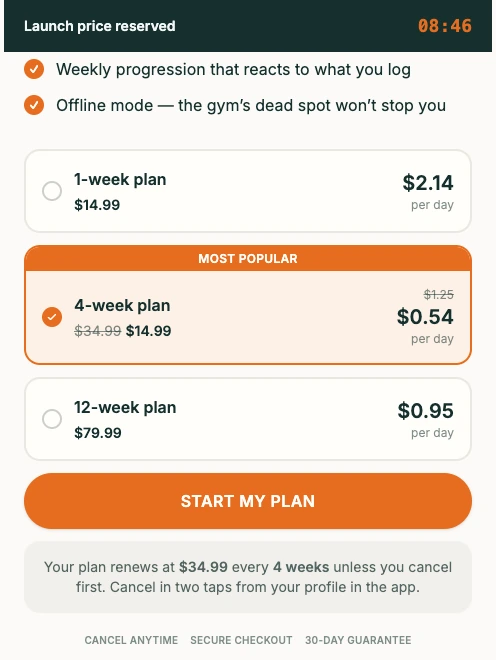
Keep the funnel in your own repo
Pull the source, commit it to your own GitHub, and treat the funnel like any other codebase: branches, reviews, CI. Local changes go back to the draft with push, and publish cuts a release on your custom domain. Token auth makes the whole loop scriptable from your own CI. Appfunnel doesn't sync with GitHub or run CI for you. The CLI just gives you the real code to git however you like.
npx appfunnel loginAuthenticate in the browser, or pass --token for agents and CI.
npx appfunnel pullDownload a funnel’s source into the current directory.
npx appfunnel devRender the funnel locally with hot reload. Never touches your draft.
npx appfunnel pushSave local source back to the funnel’s draft.
npx appfunnel publishPush, then deploy the draft live as a release you can roll back.
npx appfunnel statusShow the linked funnel and whether local and draft are in sync.
$ npx appfunnel pull
demo funnel · draft → ./demo-funnel
$ claude "the goal answer is captured but unused — branch on it"
agentreading funnel.ts — pages, responses, product slots
agentadding a next rule to 'goal' in funnel.ts
$ npx appfunnel dev
local render · hot reload · the draft is untouched
$ npx appfunnel push && npx appfunnel publish
draft updated · release live · rollback ready
You extend the funnel. The platform runs it.
You (or your agents) write
- Page components: your design system, your Tailwind, your motion
- Quiz UX, paywall layouts, and the persistent layout chrome
- Branching logic and response variables in funnel.ts
- Anything your agents generate against the typed contract
Appfunnel runs
- Sessions & state persistence
- Checkout, trials, upsells across five providers
- Server-side attribution & CAPI fan-out
- A/B experiments & variant serving
- Custom domains, SSL, serving
- Releases with rollback
- LTV, cohort & funnel analytics
- Webhooks & integrations
The questions engineers ask first
Do I need developers to use Appfunnel?
No. The builder is plug-and-play: describe pages to the AI web builder and ship without writing code. This page is the ceiling, not the entry bar. When you want engineers or agents involved, the same funnel opens in their tools with nothing to migrate.
Is the code real React, or an export?
Real React. A funnel is a small TypeScript project: funnel.ts plus a component per page, and it’s the same project the web editor edits. Pull it with npx appfunnel pull, open it in your IDE, and push it back. There is no separate export format.
What does the SDK give my pages?
Typed hooks and drop-in components from @appfunnel-dev/sdk: useNavigation() for flow control, useResponse() for session-persisted answers, useProduct() for the products a page sells, and usePage() for progress, plus a <Checkout> component wired to Stripe or Paddle with no webhook code.
How do product slots work?
In funnel.ts, products maps a local slot name, like plan, to a product in your catalog. Pages reference the slot, so which product it sells (and its pricing) is swapped in the editor without touching page code. The catalog key stays the charge identity for analytics.
How do releases work?
npx appfunnel dev renders locally with hot reload and never touches the server. push saves your local source to the funnel’s draft, and publish deploys the draft live as a release, rollbackable on your custom domain. Agents and CI use login --token to run the same loop.
How do coding agents connect?
Two ways. Over MCP: a one-time pairing code from the editor connects your local agent to the live editor session, where its edits render in the preview for you to approve. Or through the repo: agents work on the pulled source like any codebase and push to the draft with the CLI.
Start plug-and-play. Never hit a wall.
The funnel you click together today is the codebase your team and your agents extend tomorrow.